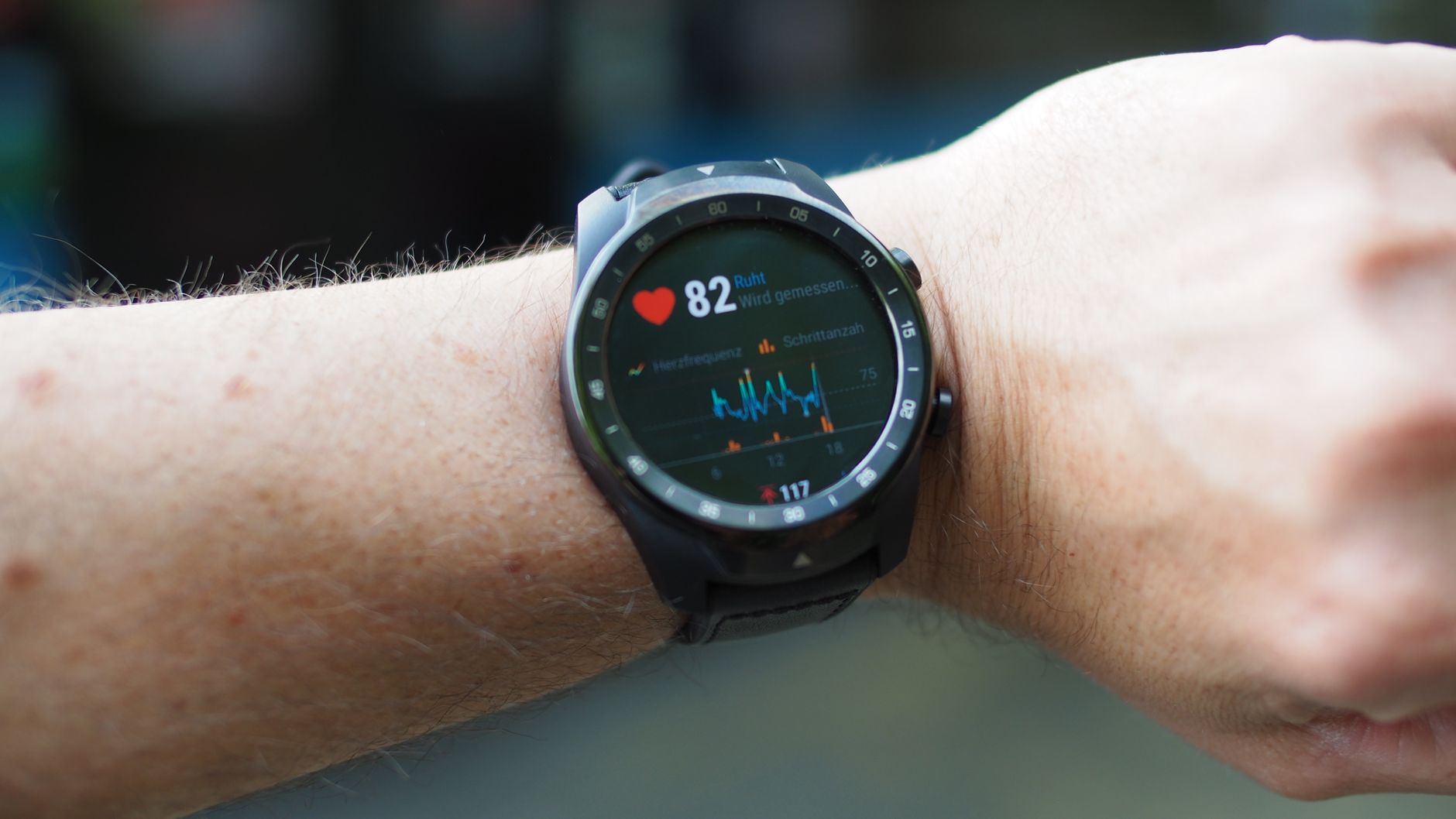
5 Privacy Settings Every Fitness Tracker User Must Change
Apple Health, Garmin, Oura, and Whoop all harvest your biometrics. Here's exactly which settings to change to keep your health data off the market.
Your resting heart rate. Your sleep interruptions at 3 a.m. The fact that your blood oxygen dipped on a Tuesday in February. Your wearable collects all of it, continuously, and in most cases it doesn't stay on your wrist. A 2023 Privacy International analysis of 136 mHealth apps found that the majority share data with advertising networks, analytics platforms, or data brokers — usually as the factory default, without any meaningful disclosure at install time. The FTC took enforcement action against health data brokers in January 2024, but platform default settings haven't meaningfully changed. This is a platform-by-platform breakdown of what Apple Health, Garmin Connect, Oura, and Whoop actually collect, which toggles matter, and where the gaps remain even after you've done your audit.
Why Health Data Is a Different Kind of Privacy Problem
Financial data has FCRA protections. Medical records are covered by HIPAA. Fitness app data sits in a regulatory gray zone — intimate, continuous, and largely unprotected by federal law in the US as of mid-2026. That gap has consequences. Insurance underwriters, employers, and pharmaceutical companies have documented interest in behavioral health signals, and the data broker market exists precisely to bridge your wearable and their spreadsheet.
The specific mechanism matters. When you install a fitness app, you often grant it access not just to its own data category but to the entire HealthKit or Google Fit data store. That can include reproductive health metrics entered by a completely different app, mental health logs, and historical data going back years. One poorly-audited permission from a calorie counter and you've handed a third-party access to your full biometric history.
The pattern is consistent across the category: apps ask for broad permissions at install, hide the actual data-sharing scope in a privacy policy that runs to 14,000 words, and bury opt-outs several menus deep. I've been writing about app privacy long enough to see this as structural, not accidental — which is why evaluating an app's data practices before downloading is worth doing before you install anything that touches your health data.
Apple Health: What Stays on Device and What Doesn't
Apple's positioning on Health is genuinely local-first. Data in the Health app stores on your iPhone, encrypted with AES-256. If you have iCloud Health sync enabled, that data syncs end-to-end encrypted — Apple holds no decryption key, which means they can't access it even if compelled. That part of the architecture is solid.
The problem isn't Apple. It's every app you've handed HealthKit access to.
Auditing Which Apps Can Read Your Health Data
Open Settings → Privacy & Security → Health on iOS. You'll see a list of every app that has requested Health access, broken down by category — read, write, or both. Most users who do this for the first time find apps they forgot about with read access to categories they never intentionally shared. That meditation app from 2022. A nutrition tracker you used for three weeks. A sleep app you replaced.
The data categories are not equal. Steps data is one thing; Reproductive Health, Sleep Analysis, and Heart Rate Variability are another tier entirely. Work through the list and revoke access you didn't explicitly intend. Tapping each app name shows you exactly which data types it can read versus write.
Ordered steps for a complete Apple Health audit:
- Settings → Privacy & Security → Health — revoke access for any app you don't actively use
- Check the specific data types each remaining app can read; limit to what it actually needs
- Health → your profile icon → Research Studies — opt out if you didn't knowingly enroll in a study
- Health → your profile icon → Apps and Devices — remove old Apple Watches and Bluetooth devices no longer in use
- If you use local iPhone backups via Finder: enable Encrypt Local Backup — unencrypted backups expose Health data in readable form regardless of on-device encryption
iCloud Sync and the Local Backup Risk
End-to-end encrypted iCloud Health sync is one of the better privacy architectures in consumer software. The risk people miss: local backups made through Finder or older iTunes without encryption enabled will include Health data in plaintext. This isn't theoretical — backup files have been accessed in legal discovery. Turn on encrypted local backups if you use them.

Garmin: Opt-Out Lives on the Wrong Platform
Garmin is more complicated than Apple, and not in a reassuring way. The Garmin Connect app syncs everything from your watch — Forerunner, Fenix, Venu — to Garmin's servers. That sync is unavoidable if you want firmware updates, course maps, weather overlays, or live tracking. Your data lives on Garmin's infrastructure, not locally on your phone, and that's a fundamental architectural difference from Apple Health.
Garmin's privacy policy, updated in March 2025, explicitly allows them to share aggregate data — and in some contexts individual data — with "business partners" for analytics and product improvement. The opt-outs exist but they're fragmented across the mobile app and a separate web portal, which means most users doing a settings audit in the app miss half the options.
What to Actually Change in Garmin Connect
In the mobile app:
- More (bottom right) → Settings → Privacy
- Disable Show on Leaderboards — reduces public exposure of your activity records
- Disable Connect IQ Data Sharing — Connect IQ apps (third-party watch faces, apps) can request device data; this limits their access
- More → Settings → Account Information → Communications — opt out of marketing data use
On the Garmin website (not the app):
- Account → Privacy → Data Rights — this is where GDPR and CCPA data export and deletion requests live; it does not exist in the mobile app at all, which is where the fragmentation becomes a real problem
The Garmin Express desktop app also has settings to disable automatic upload of Health Snapshot and Pulse Ox data. Worth checking separately if you use either feature.
Third-Party Integrations Are the Bigger Risk
Strava, MyFitnessPal, TrainingPeaks, Apple Health — Garmin can push data to all of them simultaneously. Each connected app is an additional data-sharing relationship with its own privacy policy and its own set of downstream partners. Go to Garmin Connect → More → Connected Apps and disconnect everything you're not actively using.
When I audited my own Garmin account, I found six connected apps — including two I hadn't opened in over a year, both with live access to my full activity history. That's a common pattern. The connection setup is frictionless; the disconnect process is buried.
Connect IQ apps do declare their data usage in the Connect IQ Store listing, which is closer to Apple's App Store privacy nutrition labels — though understanding what those disclosures actually mean in practice requires the same skeptical reading covered in how to interpret App Store ratings and data labels before downloading.

Oura Ring: Better Data Ownership, With One Important Caveat
Oura has been more explicit than most wearable companies about data ownership. Their policy, updated February 2025, states that you own your data and they do not sell it to third parties for advertising purposes. Full data export is available in CSV format directly from the app, and account deletion triggers a 30-day server-side purge. Compared to Garmin's fragmented opt-out structure or Whoop's opacity, that's a meaningfully better baseline.
The caveat: Oura shares anonymized, aggregated data with research partners — universities, public health institutions — for studies they disclose in a dedicated Research section of the app. This is opt-out, not opt-in. You can turn it off in Oura App → Account → Privacy → Research Participation, and the controls are granular: you can exit specific studies while leaving anonymized aggregate participation on, or disable the whole category.
The structural reason Oura's policy is stronger: at $5.99 per month (as of January 2025), their revenue model is the subscription fee, not your data. That's a real difference from free apps where monetization depends on what you generate. That said, if Oura is ever acquired — and hardware companies in this space do get acquired — those policies can change. The data exists on their servers regardless of your current trust level.
Practical steps for Oura:
- App → Account → Privacy → Research Participation — opt out entirely or selectively
- App → Connections — remove any third-party integrations not actively used
- App → Account → Export Data — schedule a monthly manual export as a personal backup
- Consider periodic account data deletion requests if you want a rolling window rather than full history on their servers
Whoop: The Platform That Collects the Most and Shares the Least About How
Whoop is the outlier in this group. The device has no screen, no GPS, and exists entirely to collect biometric data and send it to the Whoop app, which sends it to Whoop's servers. There is no offline mode. The data doesn't live on your phone. And accessing your raw data without the app requires going through their developer API, which requires technical setup most users won't do.
Whoop's privacy policy, as of April 2025, is vaguer than Oura's in what it reserves the right to do with your data. They list "analytics vendors" and "service providers" as data recipients without the specificity Oura offers. For Whoop Unite (the team/employer plan), coaches and account administrators can see biometric summaries depending on how the account is configured. If your employer or sports team purchased your subscription, this is not a hypothetical concern.
What you can restrict:
- App → Profile → Privacy — disable marketing data use
- If on a Team account: clarify with the account admin what their data visibility settings look like; individual accounts have better isolation
- For technical users, Whoop's developer API allows data export; you can export your history and then submit a deletion request to limit their retention window
The contrarian take worth making explicit: Whoop collects more and gives you less control than any other platform here, yet it's favored by the athletes with arguably the most at stake — professional competitors, whose recovery metrics have genuine competitive sensitivity. The tradeoff they're accepting is depth of analysis for control over data. If that tradeoff doesn't work for you but you want comparable HRV and recovery tracking, Garmin's Forerunner 965 running a local HRV analysis without cloud sync is a more privacy-preserving alternative, even if the interface is less polished.
How Data Brokers Actually Access Your Fitness Data
Even with every platform setting dialed in, fitness data can escape through a route most users don't consider: the third-party apps connected to HealthKit or Google Fit. That nutrition tracker. The journaling app that reads sleep data to correlate with mood. The workout logger you gave full HealthKit read access during a one-tap install.
The pipeline looks like this: a third-party app requests HealthKit access → you grant it during install → the app syncs your data to its own backend → its backend integrates an analytics SDK (Amplitude, Mixpanel, Adjust, Firebase) → that vendor aggregates behavioral data across all apps using the SDK → portions of that aggregate profile are used for ad targeting or sold to data brokers.
Here's a comparison of where each major platform sits on the dimensions that matter:
| Platform | Data Stored | Sell to Advertisers | Research Sharing | Data Export | Opt-Out Quality |
|---|---|---|---|---|---|
| Apple Health | Local + E2E encrypted iCloud | No (Apple policy) | Opt-out (in-app) | Via encrypted backup | Excellent |
| Garmin Connect | Garmin servers | Aggregate with partners | Limited opt-out | JSON/CSV (web only) | Fragmented |
| Oura | Oura servers | No (Feb 2025 policy) | Opt-out (in-app, granular) | CSV (in-app) | Good |
| Whoop | Whoop servers | Not explicitly stated | No opt-out available | API only | Poor |
The practical defense at the app layer: treat every HealthKit permission request the way you'd treat a request for your banking credentials. Grant narrowly, review immediately after granting, and revoke anything that exceeds what the app actually needs. If you want to track habits and wellness data without running every app through your HealthKit — which limits the attack surface significantly — there are offline-first options worth considering. The best offline mobile apps that need no internet connection includes tools that run entirely on-device, which matters when you're trying to minimize what travels to third-party servers.
For habit-tracking apps specifically, before adding any new one to your HealthKit permission list, checking how the app handles data is as important as evaluating its interface. The best apps for tracking daily habits in 2026 covers several options, including which ones operate without requiring a cloud account — a meaningful filter if you're serious about reducing your fitness data footprint.
Your 15-Minute Privacy Audit: What to Do Right Now
This is ordered by impact. Start with Apple Health if you have an iPhone — it's the single biggest attack surface because so many apps connect to it.
Apple Health:
- Settings → Privacy & Security → Health → review every app, revoke all unexpected read access
- Limit remaining apps to only the data types they actually need (not full read access)
- Health → profile icon → Research Studies → opt out of any study you didn't knowingly join
- Health → profile icon → Apps and Devices → remove stale devices
- Finder/iTunes backups: enable Encrypt Local Backup
Garmin Connect: 6. App → More → Settings → Privacy → disable Leaderboards and Connect IQ Data Sharing 7. Garmin.com → Account → Privacy → submit a data restriction or deletion request 8. App → More → Connected Apps → disconnect everything unused
Oura: 9. App → Account → Privacy → Research Participation → opt out 10. App → Connections → remove unused third-party integrations 11. Set a monthly reminder to export your data as a personal CSV backup
Whoop: 12. App → Profile → Privacy → disable marketing data use 13. Clarify data visibility settings with team admin if on a team plan 14. Consider whether your use case actually requires Whoop or whether a Garmin device with HRV tracking meets the same need with more local control
General (all platforms): 15. IOS: Settings → Privacy & Security → Tracking → disable "Allow Apps to Request to Track" globally 16. Review any habit, nutrition, or meditation app with HealthKit access — these are consistently overlooked vectors for data exposure
Sources & Further Reading
- Privacy International — Their 2023 mHealth app analysis examined 136 Android health apps and documented third-party tracking SDK integration rates; foundational reading for understanding the scope of the problem
- Federal Trade Commission (FTC) — The FTC's January 2024 actions against health data brokers, including the Kochava enforcement order, are public record and explain the legal gap between HIPAA-covered medical data and fitness app data
- Electronic Frontier Foundation — Surveillance Self-Defense — Maintains updated guidance on mobile privacy with specific sections on health and location data; more technically precise than most consumer-facing guides
- International Association of Privacy Professionals (IAPP) — Tracks state-level health data laws (California CMIA, Washington My Health MY Data Act) that exceed federal protections; useful for understanding what rights you actually have depending on where you live
- Oura Health Privacy Policy (official documentation) — The February 2025 revision is unusually readable for a wearable company's legal document and worth comparing side-by-side with Garmin's and Whoop's equivalents to calibrate what these policies actually commit to versus what they leave open